The app from the inside
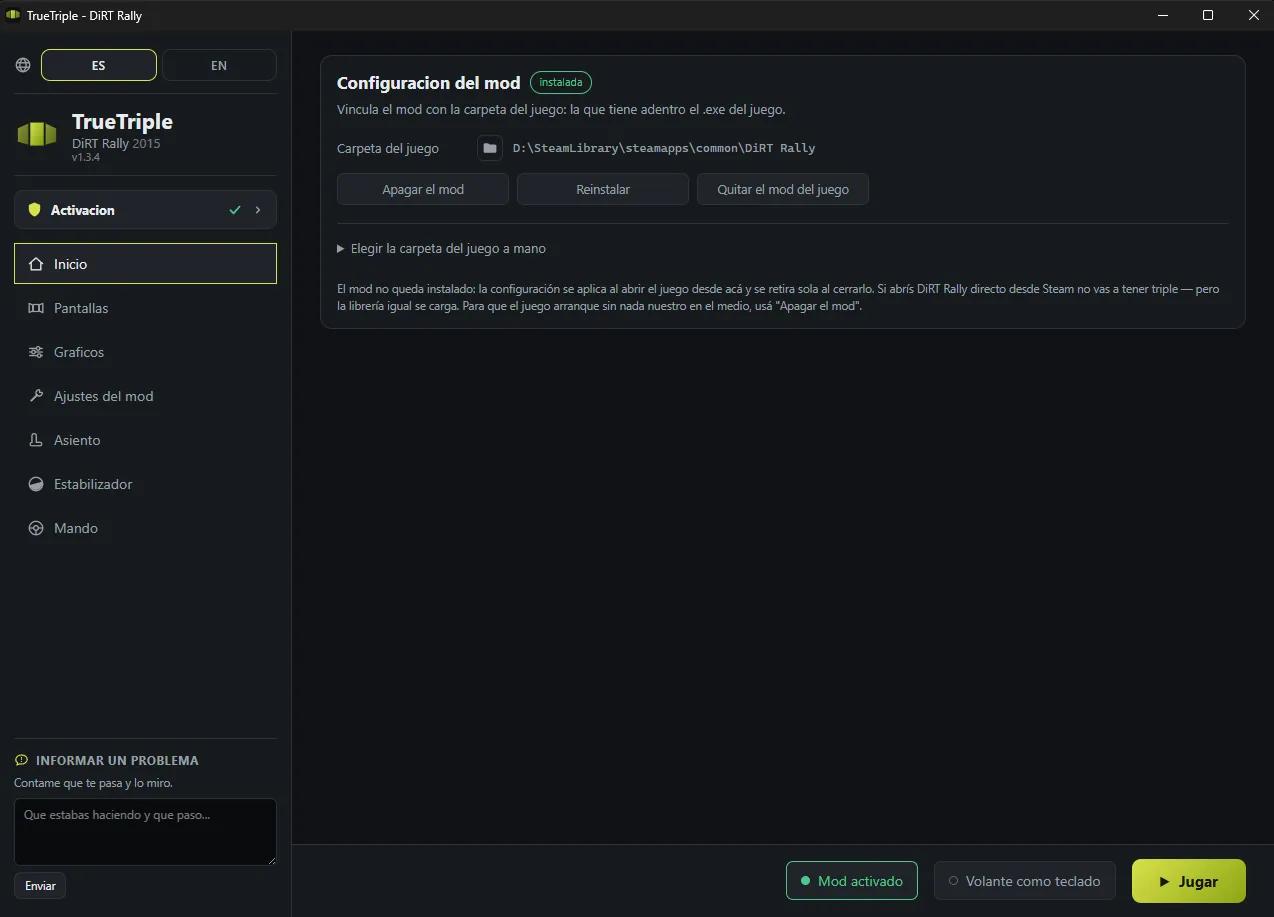
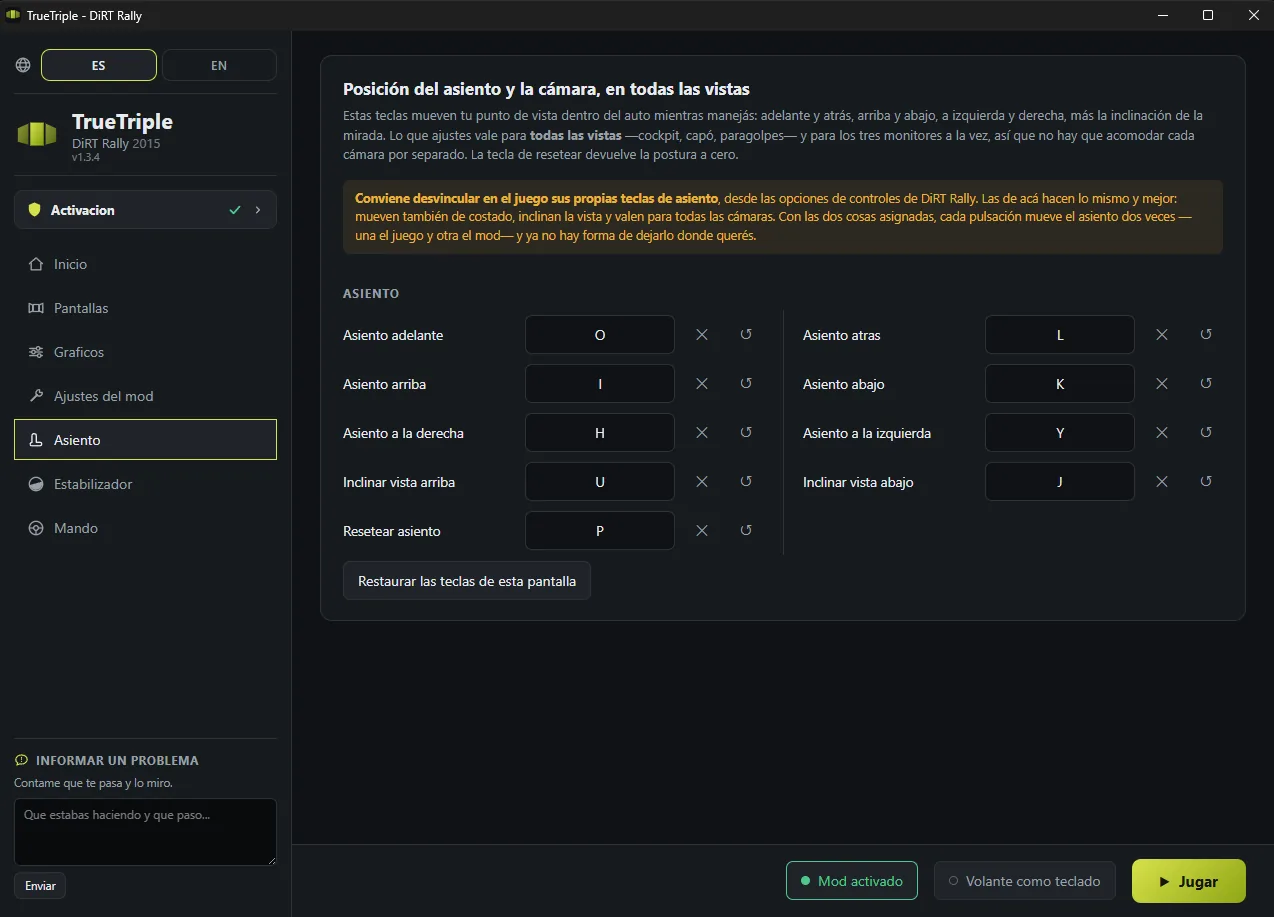
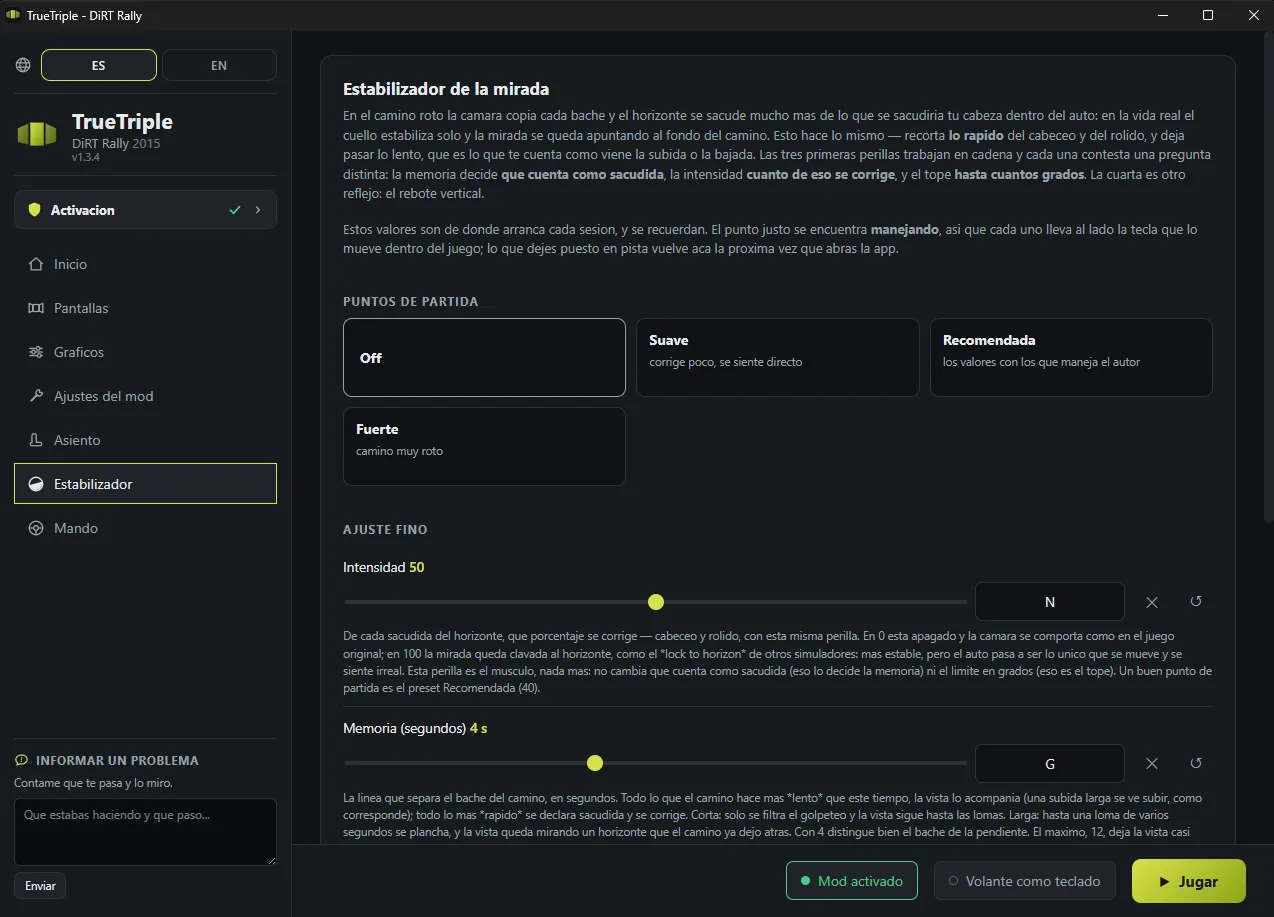
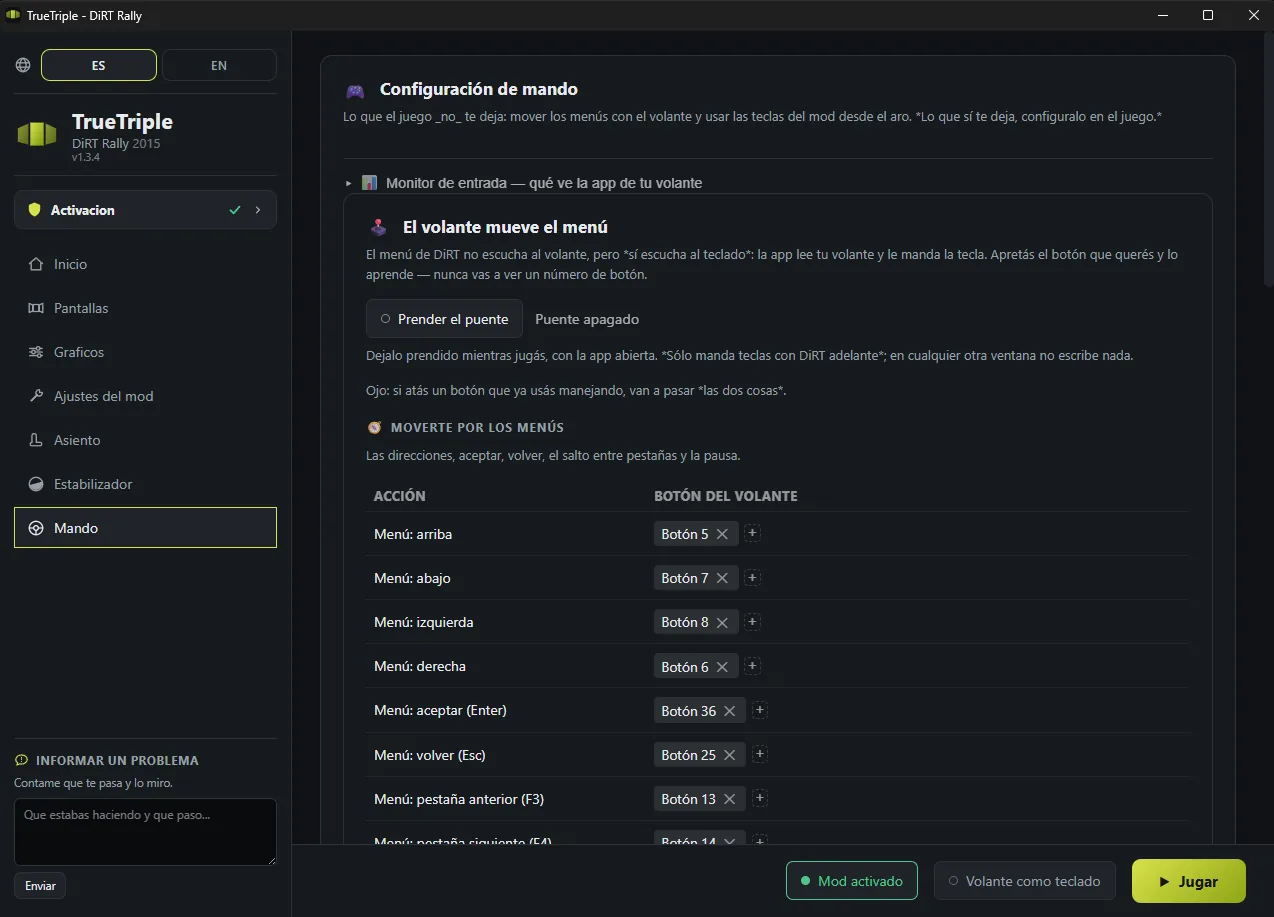
You set it up once and after that it is open it and hit Play. And on every screen, bottom left, there is a box to tell me whatever happens to you.
DiRT Rally, the 2015 one, has the same problem as 2.0: with three monitors it stretches and warps the sides, and there go your comfort and your sense of distance. I had already solved that in DiRT Rally 2.0, and since both games are versions of the same engine, bringing TrueTriple over here was not that hard: every screen gets its real perspective back, worked out from your rig's measurements. Back me on Patreon and I will keep building solutions like this one.
This isn't a number in a benchmark. It's the first time the game shows you the world at real scale.
The side screens stop lying to you. The pillar, the mirror, the edge of the bonnet all sit where they should. For the first time it feels like you're driving from inside, not looking at a wide photo of a car.
Projecting with the real geometry of your rig means everything is the size it would be in life. Corners read better because the braking point is where your eye thinks it is.
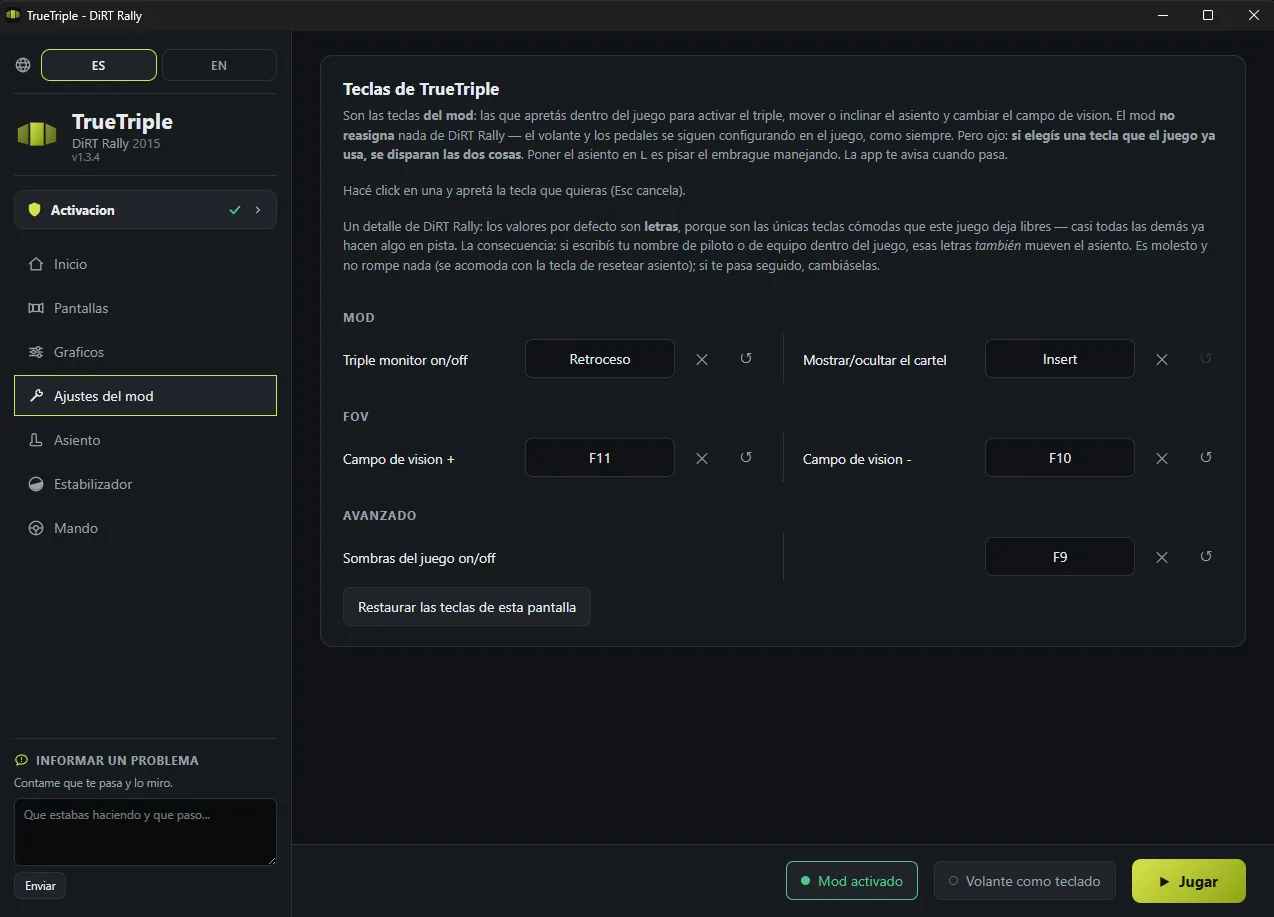
You move the viewpoint inside the cockpit forward, back, up and sideways, until the position is yours, without the game's limits. And it remembers where you left it.
Without patching a single game file, and without staying installed.
A DirectX 11 library is injected and sits between the game and the graphics card. The game itself is never modified.
The camera matrix is corrected on the fly: every object in the world is redrawn once per monitor, with the projection that panel deserves given where it is and how far it is angled.
Each draw reads the real scale of its own camera, so it works with any camera, any field of view and any resolution, with nothing baked in.
The mod recognises the driving cameras and leaves the rest alone. Nothing to press.
Its config is written when you launch the game from the app and taken back out when you close it. Launch DiRT Rally straight from Steam and it runs exactly as it always did.
You set it up once and after that it is open it and hit Play. And on every screen, bottom left, there is a box to tell me whatever happens to you.
There are two tiers on Patreon: 3 dollars a month for the finished apps, and 5 if you also want the ones in beta or in development. DiRT Rally 2015 is finished, so it sits in the 3 dollar one.
Either way, what you download is yours to keep. Your key is created the moment you subscribe, and that key never expires: if you unsubscribe some day, whatever you already activated keeps working. There is no licence that runs out and no server that can switch it off on you.
So if you subscribe for one month, grab it and leave, that is completely fine by me. What you pay month to month is not this one: it is what comes next. Right now the 5 dollar tier has EA SPORTS WRC in beta.
The ones that keep coming up, answered straight.
There you are better off turning it off, with the same key you turn it on with: the replay camera does things the mod does not follow. Driving, which is where it matters, it is fine.
Not necessarily. The mod works on the wide three screen desktop, whether you build it with Surround, with Eyefinity or in software. The only thing that changes is where the game's HUD ends up: in fullscreen it is drawn centred on the middle monitor, and in borderless window it stretches across all three. If you use SimHub, none of this affects you.
Every object is drawn three times instead of once, so it does cost something. On DiRT Rally 2.0, with this same technique and the same optimisations, the drop stayed under 10%.
Here I have not measured it that carefully yet: if you see an odd drop, tell me, with your card and your resolution.
I have not tried it, so I cannot promise you anything. In theory, setting the side screen angle to 0, it should work rather well: you would end up with one correct perspective instead of three. If you try it, tell me how it went.
I will answer this one at length, because the question deserves an honest answer and not a "don't worry about it". DiRT Rally (2015) is not listed as VAC protected on its Steam page, and when I took the game apart to build this, no anti-cheat turned up either.
What the mod does is sit between the game and DirectX 11 with a library, 3Dmigoto, a public tool that has been used for over ten years to modify graphics, and rewrite the drawing shaders so that each monitor gets its own camera. What it does not do: it does not read or write the game's memory, it does not touch physics or timing, it does not automate anything, and it does not send or modify anything over the network. It changes how the image is drawn on your machine, and nothing else.
Even so, my recommendation is to use it offline or in Time Trial, which is how I use it. Not because it gives you an advantage, it shows you the same road without the distortion, which is exactly what ruined the side screens, but because in a league everyone decides what they race with and that decision should be yours.
And the way out is always one file away: if you ever want the game exactly as it shipped,
just delete d3d11.dll from its folder. Without that file nothing loads, and
you do not need any uninstaller.
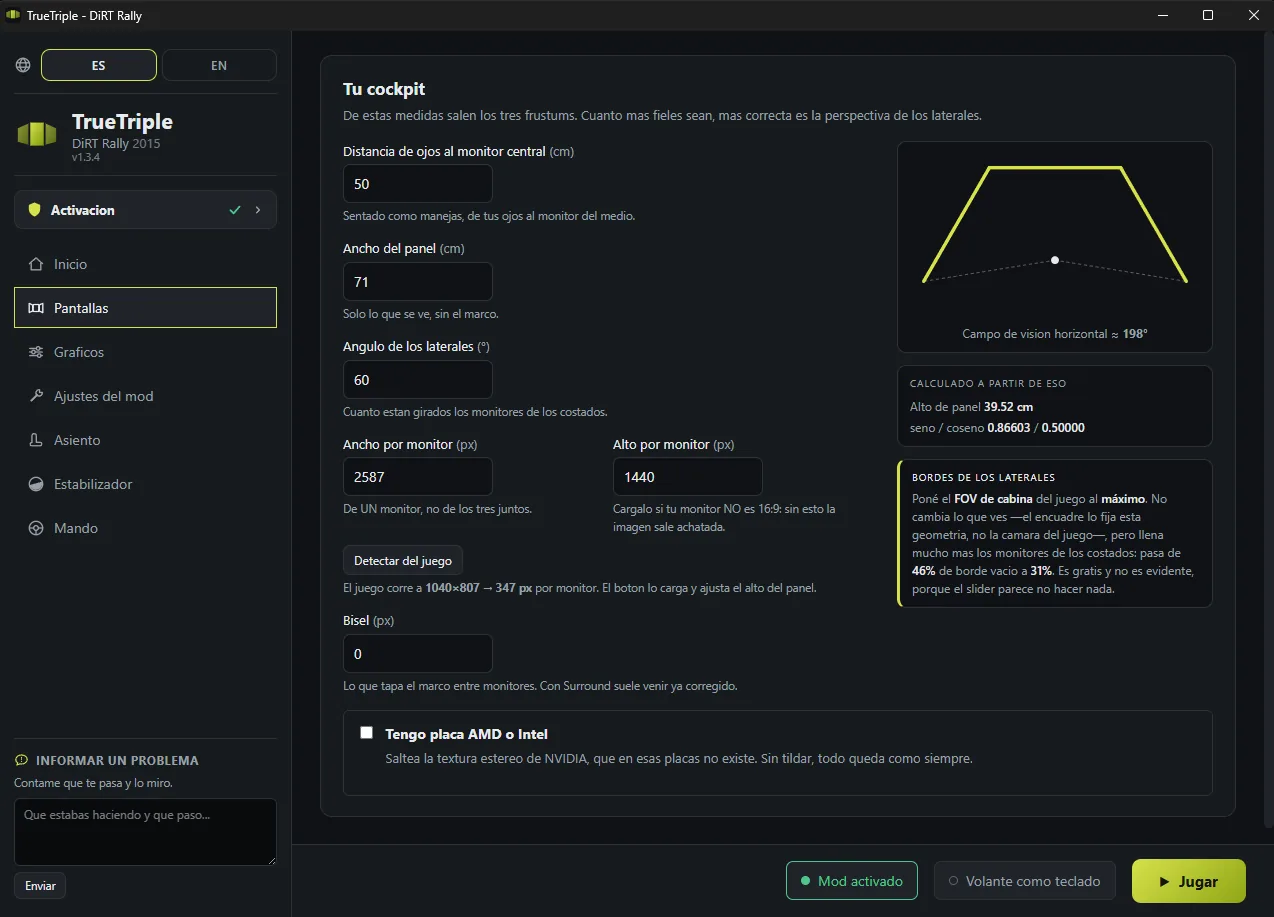
In the app, on the Screens tab: the distance from your eyes to the middle monitor, panel width, side screen angle, resolution and bezel. Those measurements build the three frustums. It is all up there, with screenshots.
One thing to keep in mind: DiRT Rally 2015 is set up separately from 2.0, with its own values. It does not inherit whatever you have saved over there.
DiRT Rally 2.0 is finished and EA SPORTS WRC is in beta, each with its own app. Every game is a different engine and takes the whole job: it is not copy and paste. They are all here.
For me yes, and I have both. VR is stunning for the first few minutes, but it tires you out and gets in the way. With the perspective properly worked out, triples hold up over long sessions without leaving you with a headache. It is a preference, but it is mine after trying both.
If the game won't open, closes on its own, or something looks wrong, start here. These are real cases and what actually fixed them. If yours isn't on the list, tell me and I'll add it.
This one happened right here, in DiRT Rally 2015, and it was fixed by removing ReShade.
The reason: ReShade hooks into the game through a file called d3d11.dll,
which is exactly the same name the mod uses. Both want that spot in the game folder, and
when they share it you can end up with only one loaded, or neither.
Take ReShade out of the game folder (with its uninstaller, or by deleting its files by hand) and install the mod again from the app.
One detail that can confuse you along the way: if the d3d11.dll sitting in
that folder is ReShade's and not mine, the app will tell you the mod isn't
installed. That is on purpose, and it is the only way not to offer you to switch
off a mod that isn't mine and end up moving a file of yours.
The same works the other way round: if you ever want the game exactly as it shipped, just
delete d3d11.dll from that folder.
NvPresent64.dll error, or the game closes right as it startsThis came up in DiRT Rally 2.0 and it has a known culprit: NVIDIA Smooth Motion. It is a driver feature that makes up in-between frames, and it clashes with the way the mod draws the scene three times. The mod here is the same one, so the check is worth running.
For the person this happened to, turning off Smooth Motion fixed it.
In order, from the cheapest to the most annoying. After each one, launch from the app and see whether anything changed.
nvapi.dll in the game folder. Rename it to nvapi.dll.off and
launch from the app. The mod works fine without it, and it rules out that layer
interfering with the driver.
The app has a Remove the mod from the game button. Use it, launch the game once straight from Steam, and tell me what happens.
It is the only test that really splits things apart. The mod's library loads from the very first frame, whether or not you switch the triple on, so a normal run with the mod installed does not rule me out. If the game behaves with the mod removed, the problem is mine. If it still closes, it sits above me and I'll tell you where to look next.
Removing the mod doesn't delete anything of yours: your rig measurements and saved seat positions are kept aside and come back on their own next time you install it.
Nearly always it is the numbers on the Screens tab. Three things to check:
This one is the game, not the mod: DiRT Rally drops out of fullscreen when it loses focus (an alt-tab, the Steam overlay, a Windows notification) and saves that small resolution into its own file as it goes. From then on it always opens like that, and with three monitors the result is unusable with nothing to explain it.
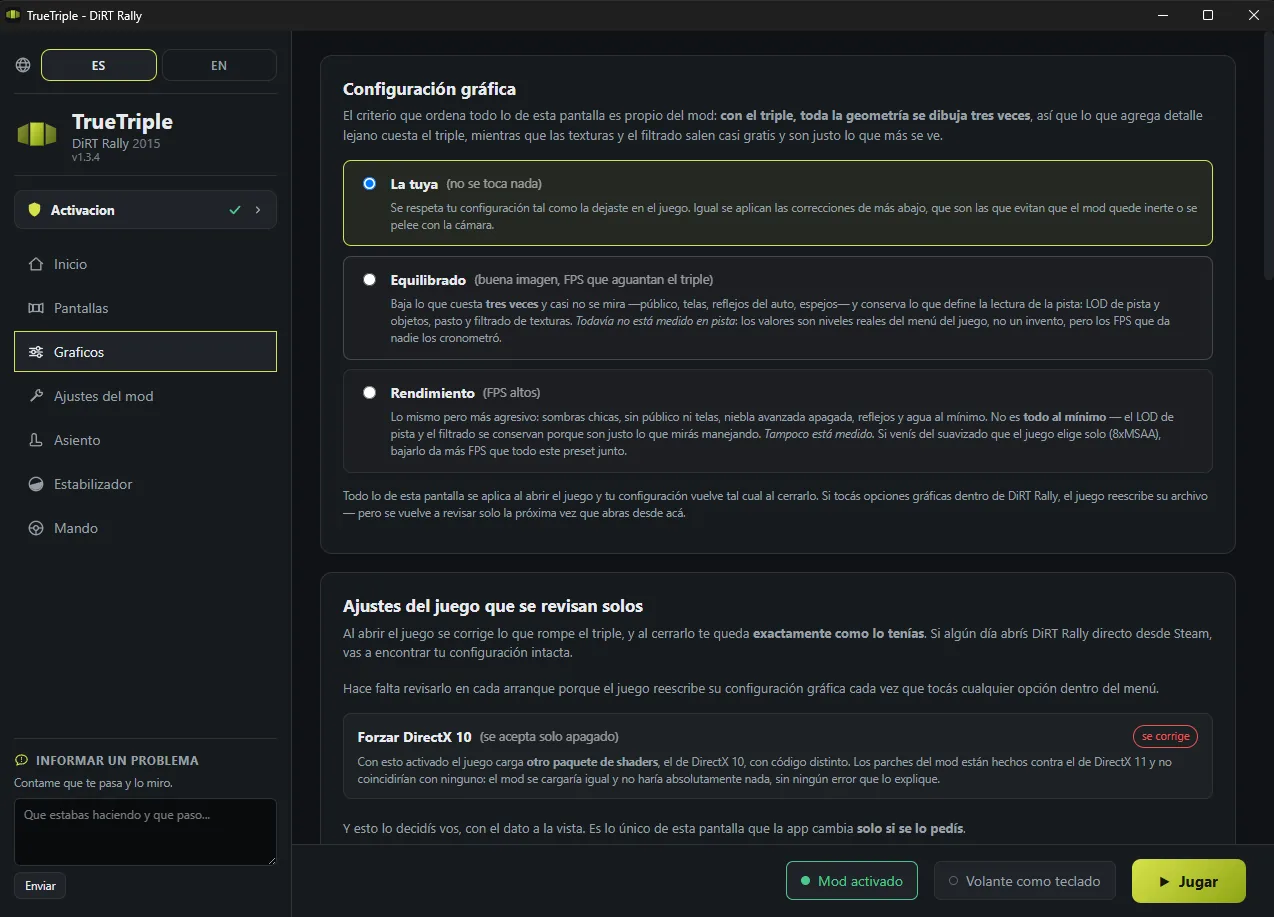
The fix is setting the resolution again in the game's menu. If doing that every time gets old, the Graphics tab has an option to let the app set your screen's resolution on launch and hand yours back when you quit.
In the app, Graphics tab, pick Performance and launch the game. That rewrites your whole graphics config while you play and hands yours back when you quit, so there is nothing to undo afterwards.
If the problem is tied to one particular graphics setting, this is the fastest way to find out. And if what you are seeing is low FPS rather than a crash, start with the smoothing: the game sets itself to 8x MSAA the first time it runs, which is the worst possible case across three screens.
Check that Force DirectX 10 is off in the game's options. With it on, DiRT loads a different shader package, the DirectX 10 one, with different code. The mod's patches are written against the DirectX 11 package and match none of it: the mod loads anyway and does absolutely nothing, with no error to explain it.
The app checks and corrects this on its own when it launches the game, so this can only reach you if you opened it straight from Steam.
When something ended up half-copied (a power cut during the install, an antivirus that took a file on the way), the quickest route is starting over:
Your rig measurements and seat positions don't get lost along the way: they are rescued when you remove the mod and come back on their own when you install it.
Write to me and tell me these, which are what shortens the road most:
There is one person here, so there is no support desk, but I read all of it. Through Patreon always reaches me.
I made TrueTriple for myself, to play the way I wanted to play on my own rig. I shared it afterwards because it turned out to be useful to other people. It is not a company product: there is no team behind it, no QA department, no support desk. There is one person.
It can have bugs, and it can break when the game updates. When you subscribe you are not buying a product: you are backing the development, and in return I give you access to what I am building. The Patreon is also where it gets told from the inside: the dead ends, what breaks and why, and where this goes next.
The same Patreon puts out Assetto Gallery, which sorts out the car and track library for the people running Assetto Corsa. Take a look.
No fine print: terms of use and support.