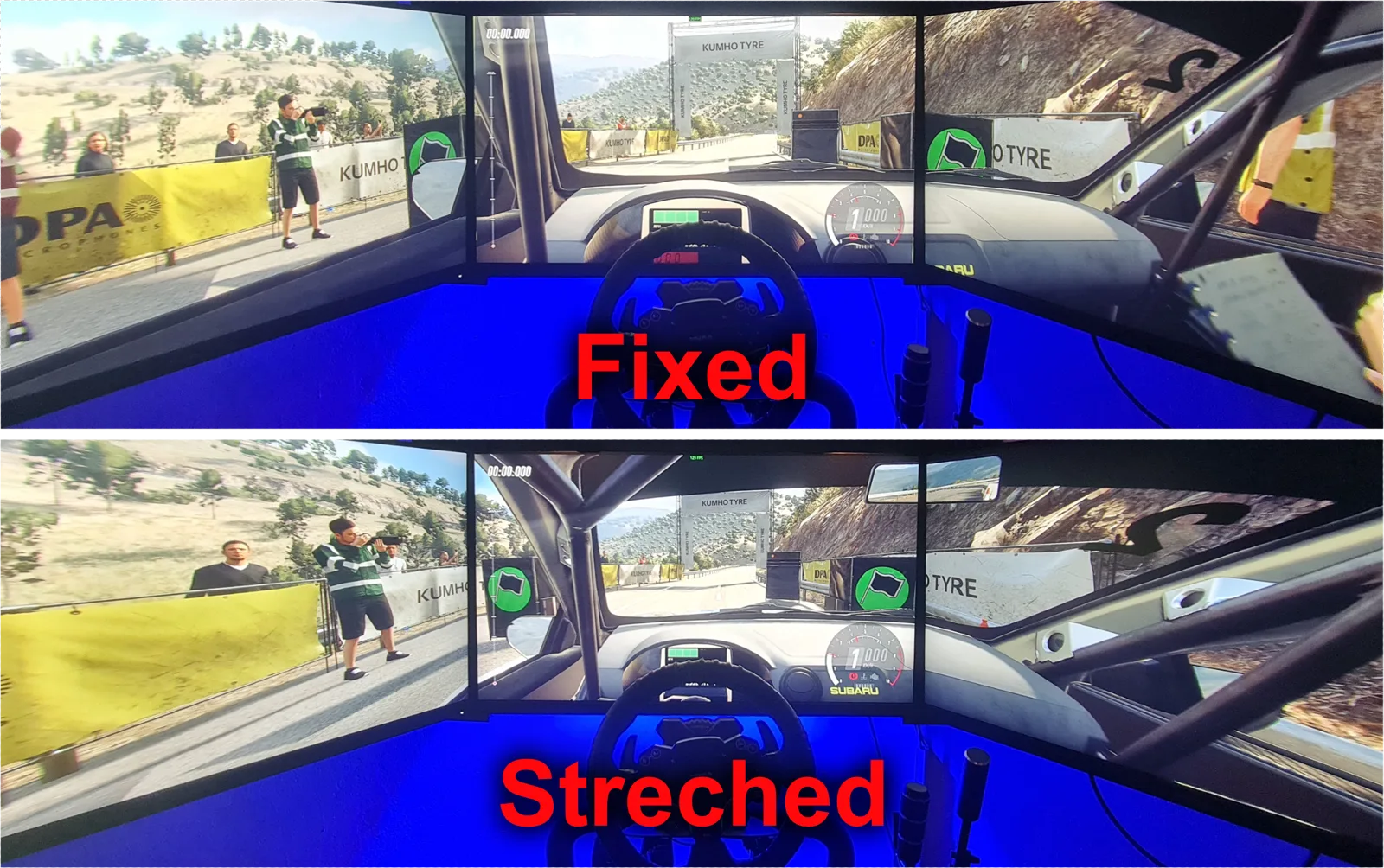
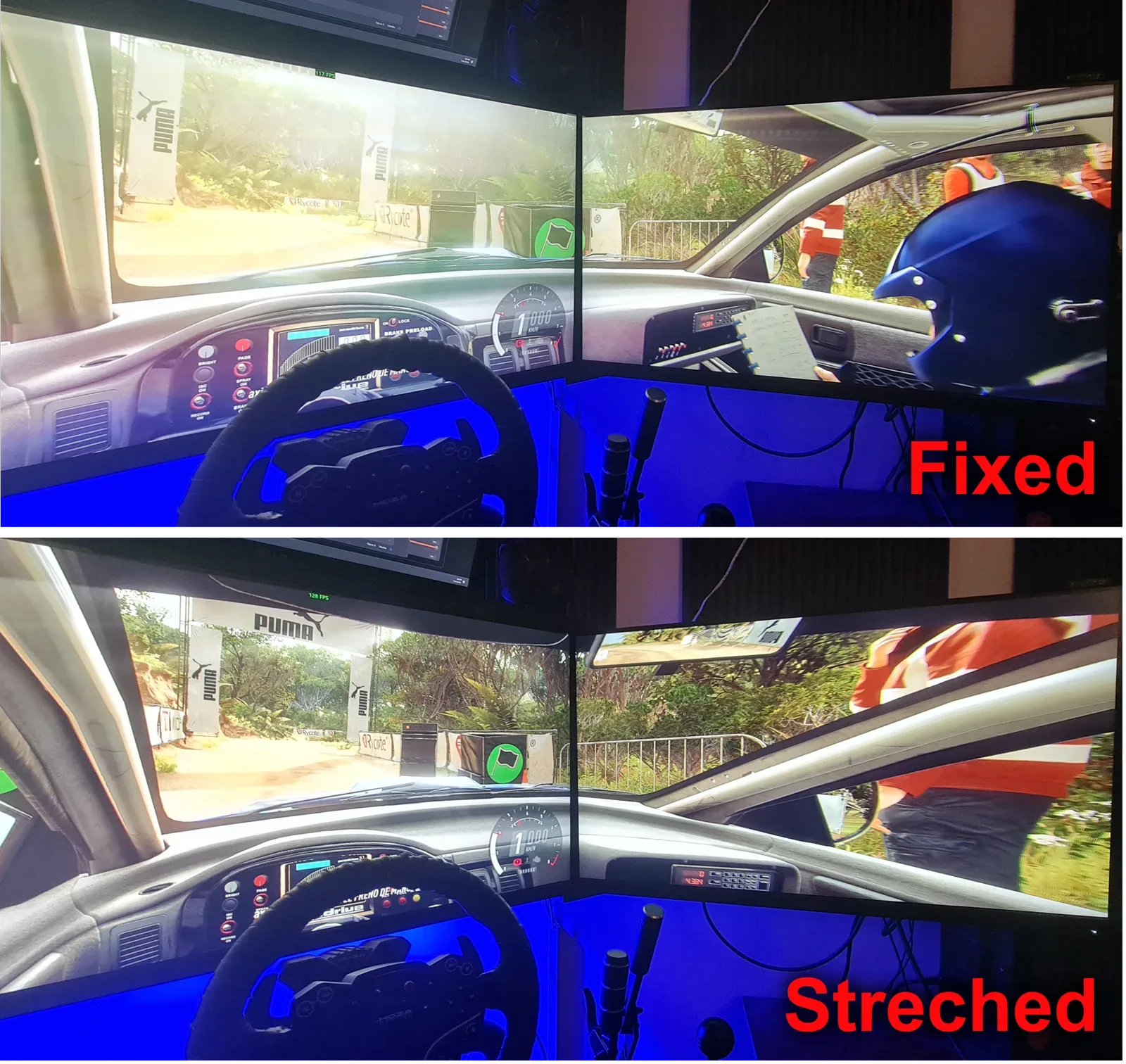
In DiRT Rally 2.0, running three monitors stretches and warps the image out to the sides. That means motion sickness, discomfort, and no way to judge a real distance on the side screens. I quit the game over it, until I decided to try to fix it. That is how TrueTriple was born, and it worked so well, and I enjoyed it so much, that I turned it into a tool anyone can use. Back me on Patreon and I will keep building solutions like this one.
This isn't a number in a benchmark. It's the first time the game shows you the world at real scale.
The sides stop lying to you. The A-pillar, the mirror, the edge of the hood end up where they belong. For the first time you feel like you're driving from inside, not looking at a wide photo of the car.
By projecting with your rig's real geometry, everything is the size it would be in real life. Corners read better because the braking point is where your eye thinks it is. It changes how you drive more than any hardware upgrade.
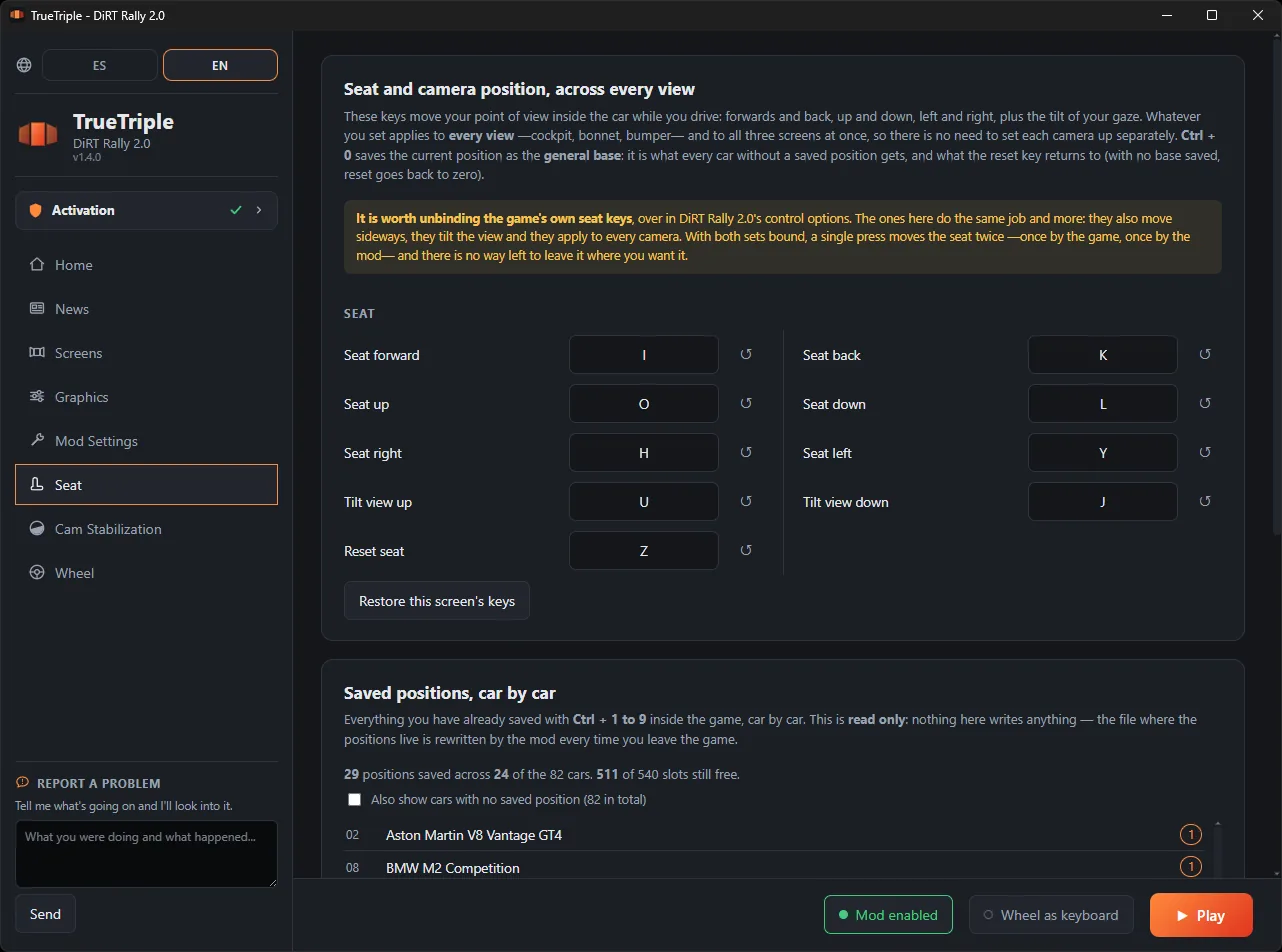
You move the viewpoint inside the cockpit forward, back, up and side to side, until the position is yours. In any car, without the game's ridiculous limits. And it remembers where you left it.
With Nvidia Surround or AMD Eyefinity the game sees a single very wide monitor and draws everything with one camera. The side panels come out stretched. TrueTriple gives each screen its own window into the world.
The three screens are a single flat plane. Anything in the side thirds gets stretched, and the wider you open the angle, the worse it looks.
Each monitor gets the perspective it deserves based on where it sits and how far it's angled. Turn your head and what you see is what you'd see out the window.
It's finished and working, not a proof of concept.
Three independent frustums calculated from your rig's physical geometry. The image it always should have had.
Everything the game computes in screen space is re-corrected per monitor. Nothing swims or misaligns on the sides.
Now three cameras have to be calculated instead of one, so there's some cost. I won't lie to you. But I optimized the mod thoroughly to keep it as small as possible: the performance drop stays under 10%. In practice, you'll barely notice it.
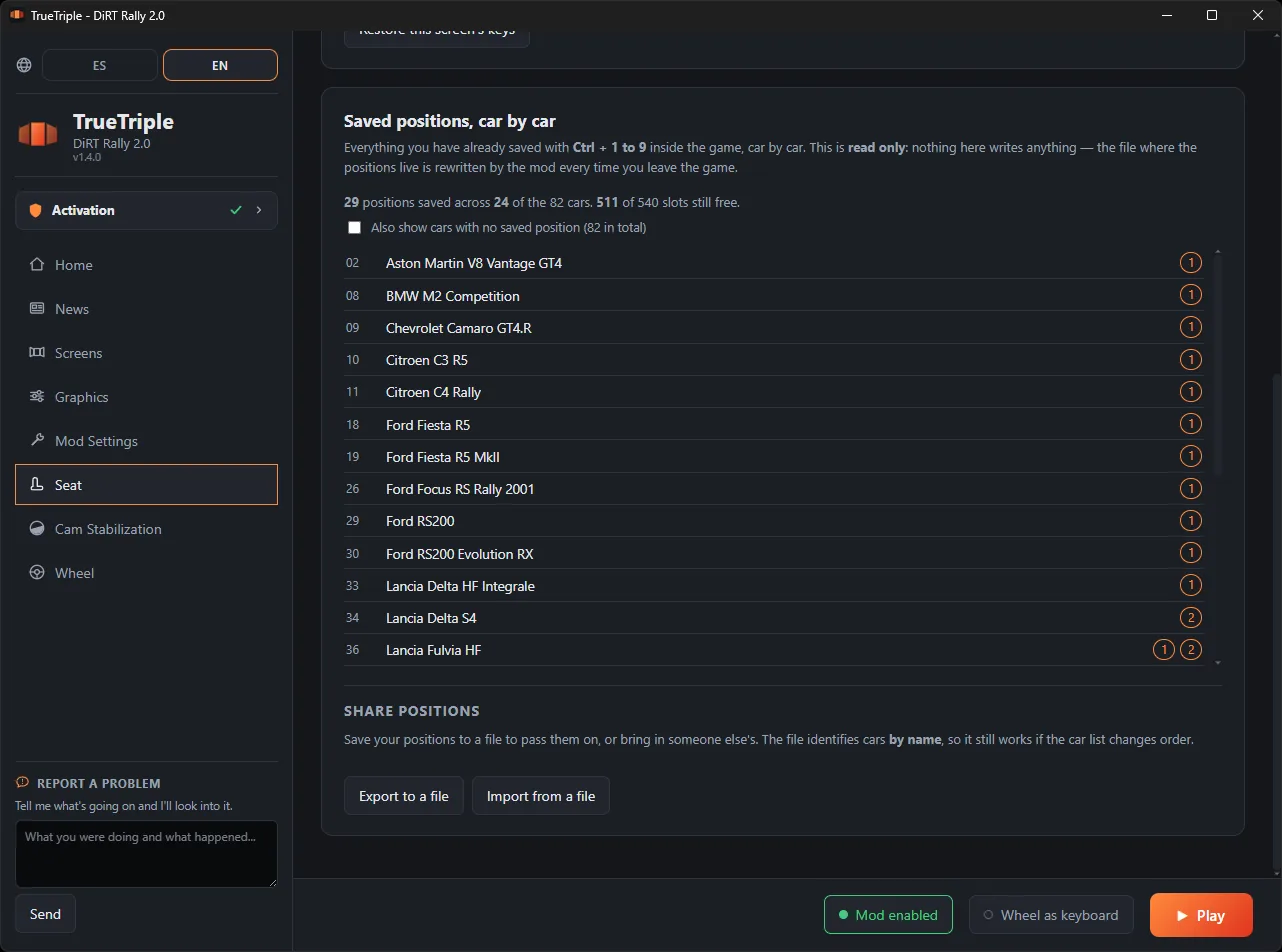
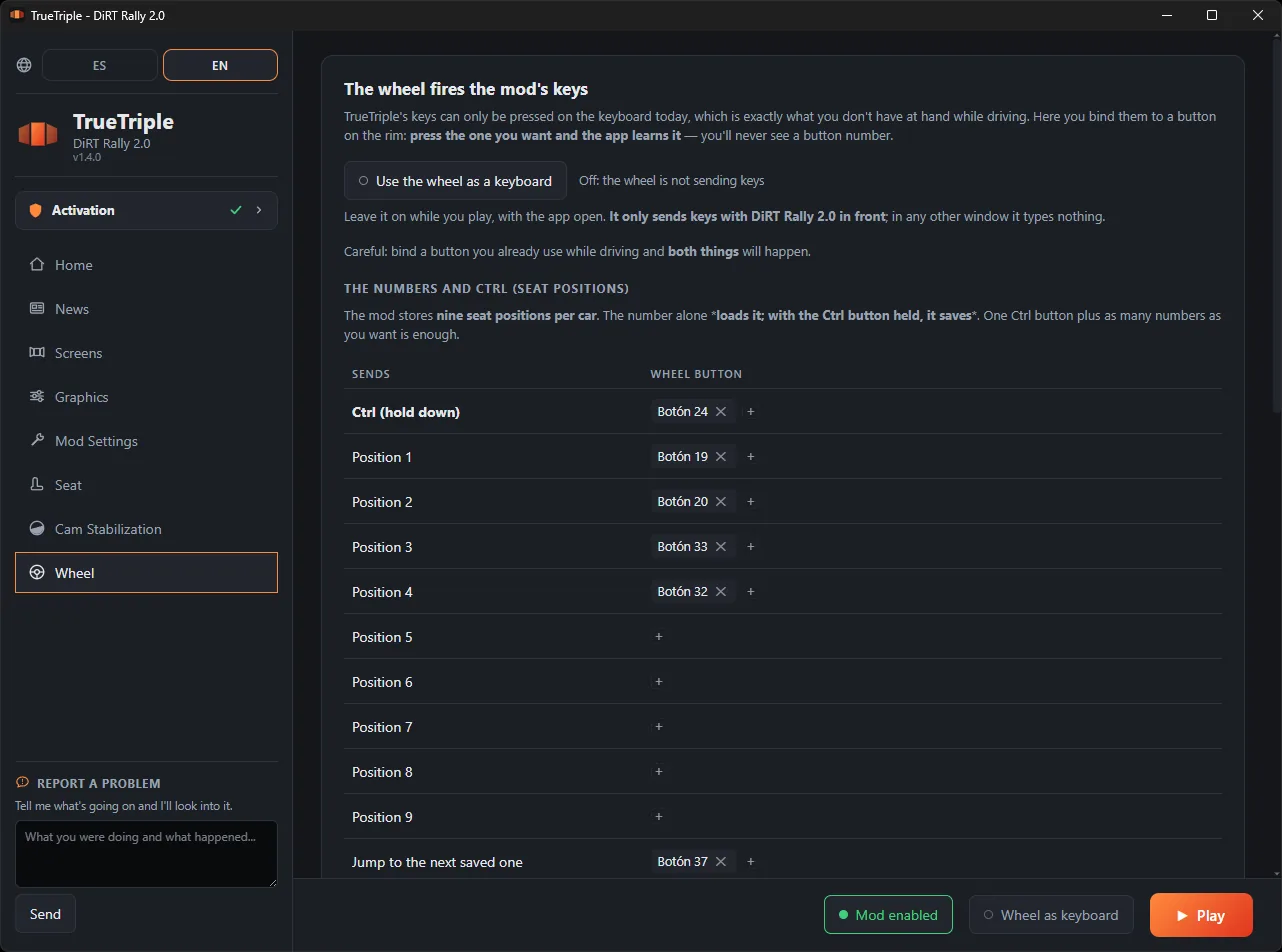
Position your head to the centimeter in any car, moving it forward, back, up and side to side, and save that posture into a slot. You can keep several per car and switch between them with one key: one for your usual view, another further forward for the narrow stages, whatever you want. The mod recognizes which car you're in by itself, so each one has its own positions and remembers them for next time.
It reads each frame's real projection live: works with any camera, FOV and resolution, without you touching anything.
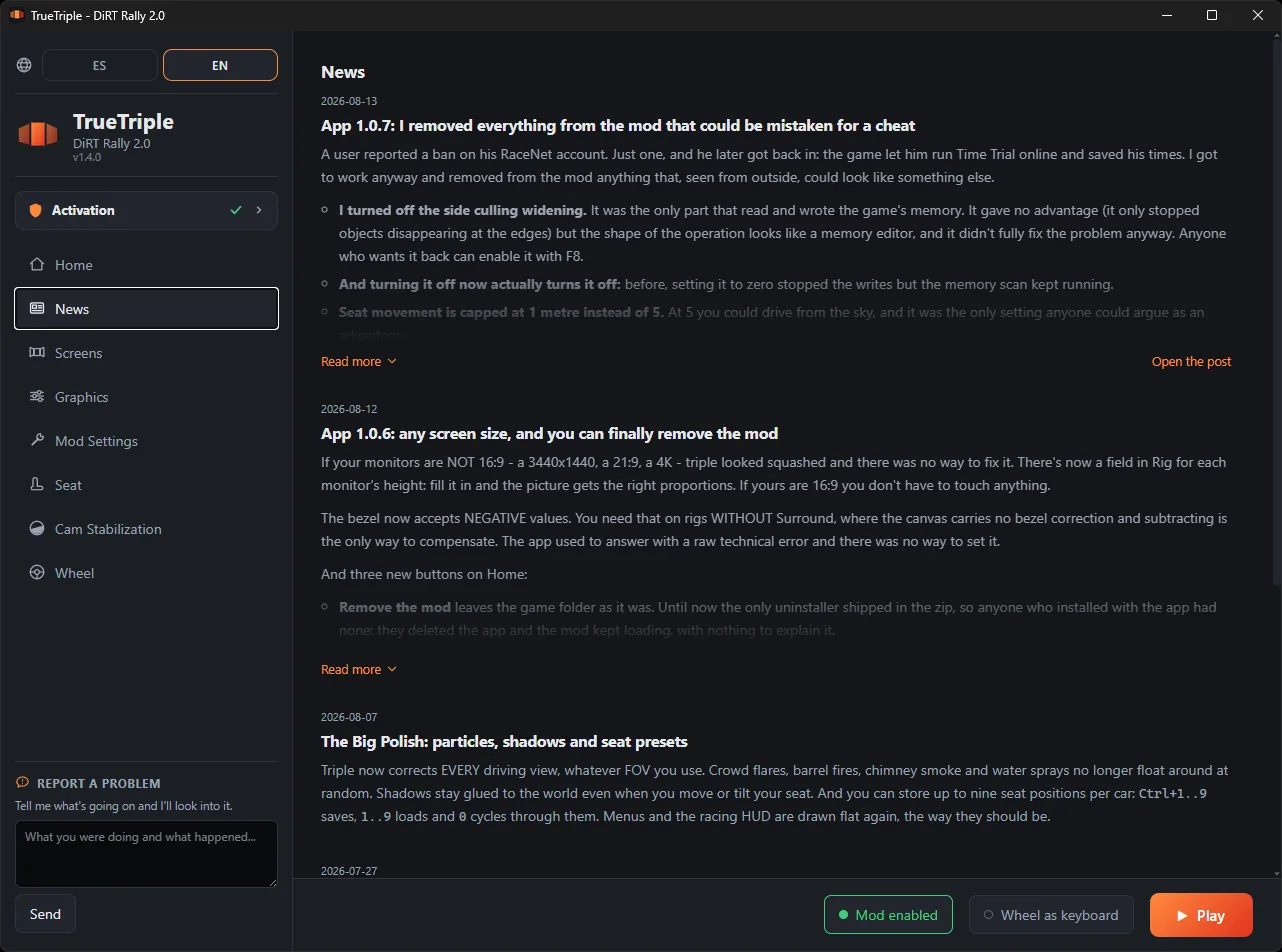
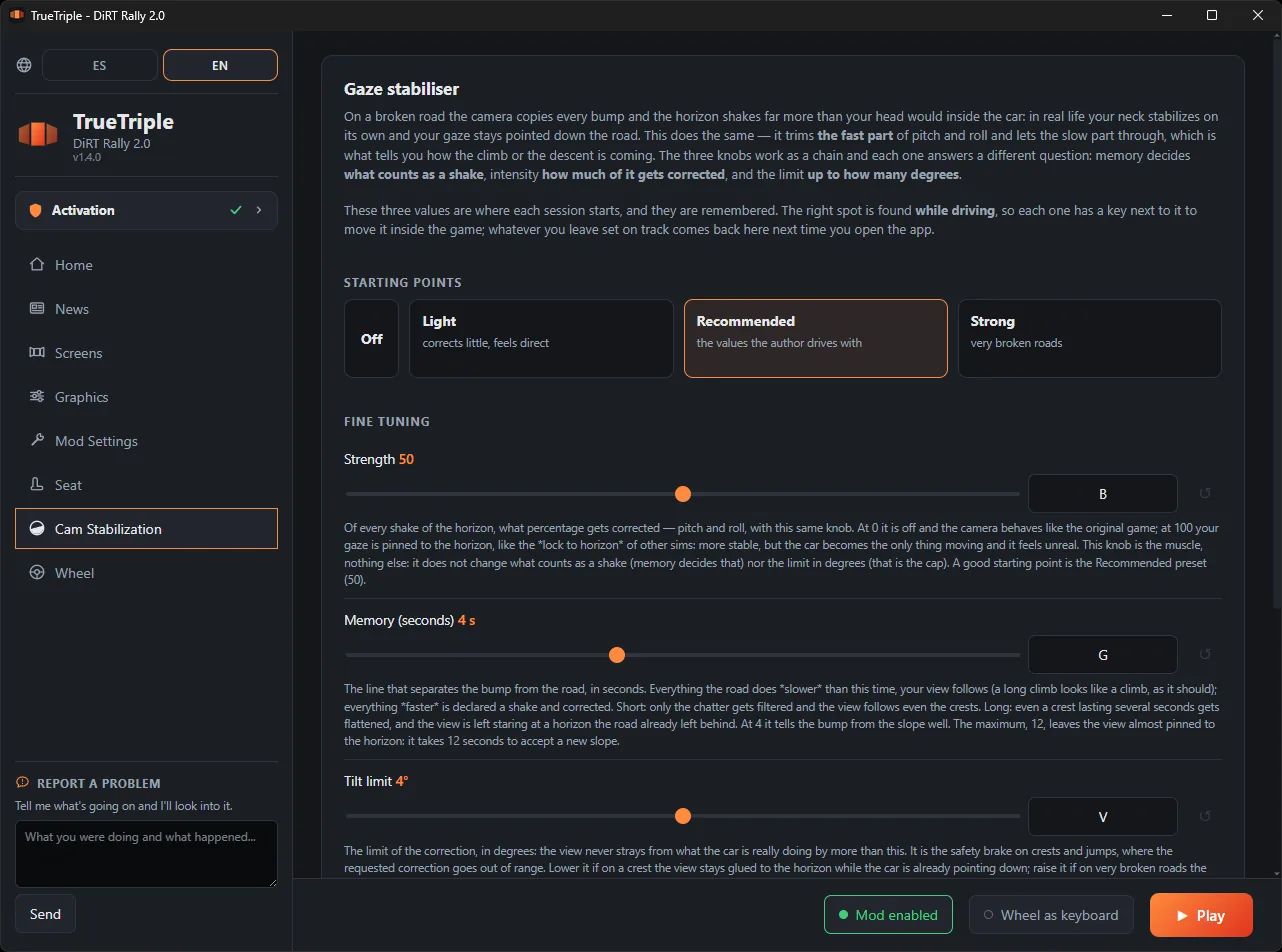
You set it up once and after that it's open it and hit Play.
There are two tiers on Patreon: 3 dollars a month for the finished apps, and 5 if you also want the ones in beta or in development. DiRT Rally 2.0 is finished, so it sits in the 3 dollar one.
Either way, what you download is yours to keep. Your key is created the moment you subscribe, and that key never expires: if you unsubscribe some day, whatever you already activated keeps working. There is no licence that runs out and no server that can switch it off on you.
So if you subscribe for one month, grab it and leave, that is completely fine by me. What you pay month to month is not this one: it is what comes next. Right now the 5 dollar tier has EA SPORTS WRC in beta.
The ones that came up most when I published it.
No. It has been tested with ResizeRaccoon too and works just as well. The only thing that changes is where the game's HUD ends up: with Surround in fullscreen it is drawn centred on the middle monitor, and in borderless window it stretches across all three. If you use SimHub, none of this affects you.
Under 10%. Three cameras have to be worked out instead of one, so it does cost something, but it is heavily optimised and in practice you barely notice.
There are two game settings you do have to leave switched off: motion blur and TAA. Both are worked out on the image once it has already been split across three screens, so with three cameras they come out wrong. If you want anti-aliasing, use CMAA.
I haven't tested it, so I can't promise anything. In theory, setting the side angle to 0 should work reasonably well: you would get one correct perspective instead of three. If you try it, let me know how it went.
I'll answer this at length, because the question deserves an honest answer and not a "don't worry about it". DiRT Rally 2.0 is VAC secured, it says so on its own Steam page. So the question is a fair one and I'm not going to dodge it.
What the mod does is sit between the game and DirectX 11 through a library, 3Dmigoto, a public tool that has been used to modify graphics for over ten years, and rewrite the drawing shaders so each monitor gets its own camera. What it does not do: it never reads or writes game memory, it doesn't touch physics or lap times, it automates nothing, and it neither sends nor alters anything over the network. It changes how the image is drawn on your machine, and that is all.
VAC looks for signatures of known cheating programs, not for any library that happens to be loaded. Under that same standard, plenty of things that also get inside the game coexist with it just fine: the Steam overlay, the Discord one, RivaTuner and MSI Afterburner, ReShade, SimHub. 3Dmigoto is part of that family and has no history of bans.
All that said, I can't give you a guarantee, and be wary of anyone who does: VAC doesn't publish what it looks at and can change whenever it wants. What I can give you is my own experience: I have been using it for weeks, online included, and absolutely nothing has happened. And it makes sense that it wouldn't, because the mod does not show you more track: it shows you the same track undistorted, which is exactly what was ruining the side screens. That is one case, mine, not proof. With that on the table, the decision is yours.
One more thing, so you don't find it out on your own: once installed, the library stays
in the game folder and loads every time, even if you launch DiRT straight from Steam.
What gets pulled out on close is the patches, not the library. And if you ever want the
game exactly as it shipped, deleting d3d11.dll from that folder is enough:
without that file nothing loads at all, and no uninstaller is needed.
So the way out is one file away and the door never locks behind you. With that on the table, go try it: pick a stage you know by heart and watch the side screens through the first fast corner. That was the test that convinced me, and it is what got me playing DiRT Rally 2.0 every single day again.
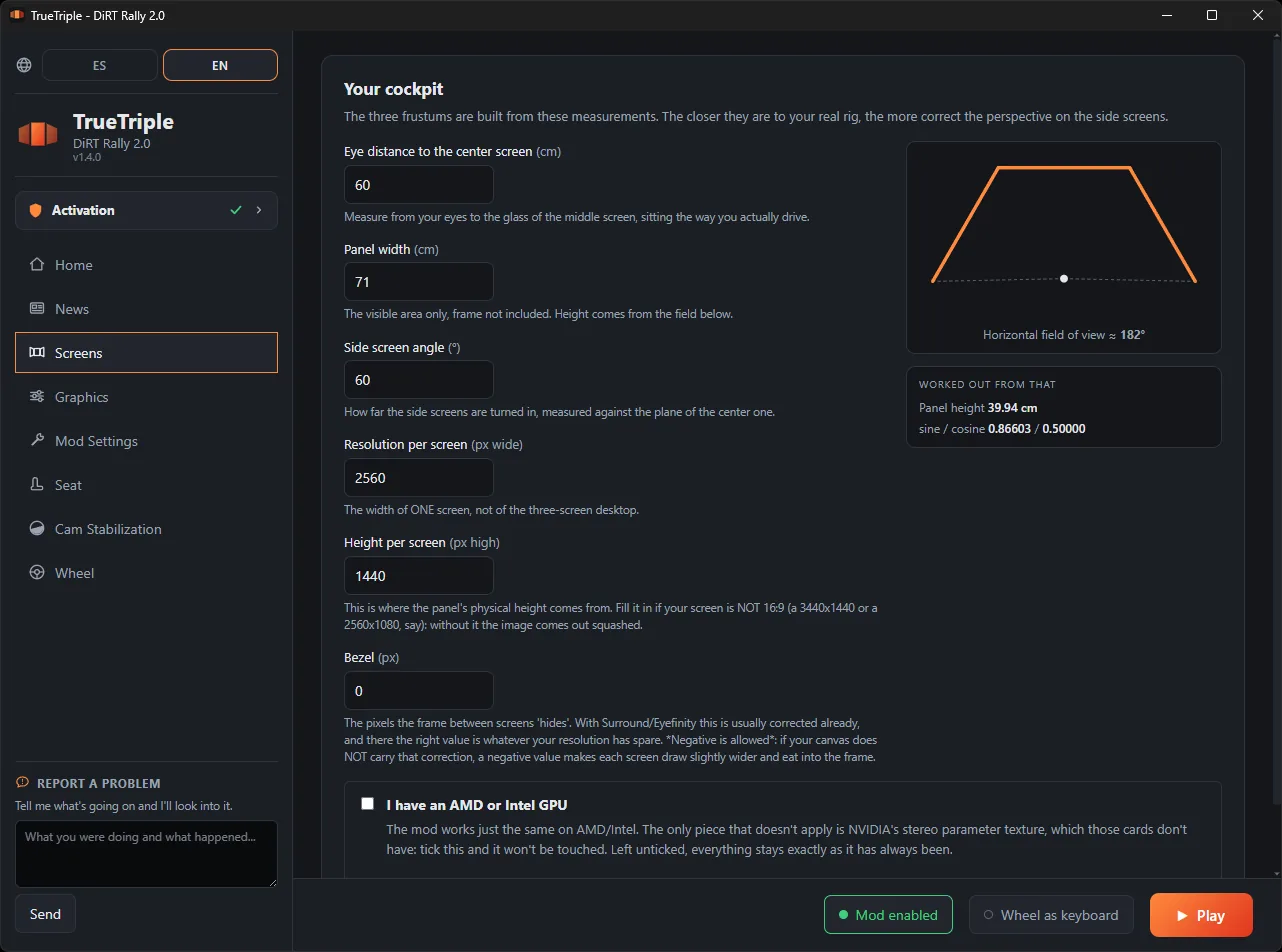
In the app, on the Rig screen: eye distance to the middle monitor, panel width, side angle, resolution and bezel. Those five measurements are what the three frustums are built from. It is all up above, with screenshots.
DiRT Rally 2015 is finished and EA SPORTS WRC is in beta, each with its own app. Every game is a different engine and takes the whole job again: it is not copy and paste. They are all here.
For me yes, and I own both. VR is stunning for the first few minutes, but it gets tiring and uncomfortable. With the perspective properly worked out, triple screen holds up over long sessions without leaving you with a headache. It is a preference, but it is mine after trying both.
If the game won't open, closes on its own, or something looks wrong, start here. These are real cases and what actually fixed them. If yours isn't on the list, tell me and I'll add it.
NvPresent64.dll error, or the game closes right as it startsThis is the one that came up most, and it has a known culprit: NVIDIA Smooth Motion. It is a driver feature that makes up in-between frames, and it clashes with the way the mod draws the scene three times.
For the person this happened to, turning off Smooth Motion fixed it.
ReShade hooks into the game through a file called d3d11.dll, which is exactly
the same name the mod uses. Both want that spot in the game folder, and when they share it
you can end up with only one loaded, or neither.
The fix is to take ReShade out of the game folder (with its uninstaller, or by deleting its files by hand) and install the mod again from the app. This happened in DiRT Rally 2015 and that is how it was solved.
The same works the other way round: if you ever want the game exactly as it shipped, just
delete d3d11.dll from that folder.
In order, from the cheapest to the most annoying. After each one, launch from the app and see whether anything changed.
nvapi64.dll in the game folder. Rename it to nvapi64.dll.off
and launch from the app. The mod works fine without it, and it rules out that layer
interfering with the driver.
The app has a Remove the mod from the game button. Use it, launch the game once straight from Steam, and tell me what happens.
It is the only test that really splits things apart. The mod's library loads from the very first frame, whether or not you switch the triple on, so a normal run with the mod installed does not rule me out. If the game behaves with the mod removed, the problem is mine. If it still closes, it sits above me and I'll tell you where to look next.
Removing the mod doesn't delete anything of yours: your rig measurements and saved seat positions are kept aside and come back on their own next time you install it.
Nearly always it is the numbers on the Screens tab. Three things to check:
In the app, Graphics tab, pick Performance and launch the game. That rewrites your whole graphics config while you play and hands yours back when you quit, so there is nothing to undo afterwards.
If the problem is tied to one particular graphics setting, this is the fastest way to find out: if it behaves on Performance, it was one of the settings that preset turns down.
When something ended up half-copied (a power cut during the install, an antivirus that took a file on the way), the quickest route is starting over:
Your rig measurements and seat positions don't get lost along the way: they are rescued when you remove the mod and come back on their own when you install it.
Write to me and tell me these, which are what shortens the road most:
There is one person here, so there is no support desk, but I read all of it. Through Patreon always reaches me.
I made TrueTriple for myself, to play the way I wanted to play on my own rig. I shared it afterwards because it turned out to be useful to other people. It is not a company product: there is no team behind it, no QA department, no support desk. There is one person.
It can have bugs, and it can break when the game updates. When you subscribe you are not buying a product: you are backing the development, and in return I give you access to what I am building. The Patreon is also where it gets told from the inside: the dead ends, what breaks and why, and where this goes next.
The same Patreon puts out Assetto Gallery, which sorts out the car and track library for the people running Assetto Corsa. Take a look.
No fine print: terms of use and support.